 Etappora
Etappora / How-to
How to use Etappora
Plan as far ahead as is useful today. You can expand and adjust the route later.
Create a goal
Tap + in the main menu. Give the project a clear title and describe how you will know it is complete.
Choose a picture
Open the goal menu and choose “Add or change picture”. Pick an image that reminds you of your plan. Etappora stores its own copy.
Define the first step
Begin at Start. Add a concrete action, such as “Measure the walls” rather than “Finish the renovation”.
Insert before or after
Select a station. The plus below inserts a step before it; the plus above inserts one after it. The pencil edits the title and description.
Open subtasks
The right arrow opens subtasks. Divide “Prepare the wall” into covering the floor, filling holes and sanding. The left arrow takes you back.
Read descriptions
Select a station to read its text in the lower information panel. Scroll longer text there, or open “Details and description” for a larger view.
Estimate progress
If useful, set your own percentage anchors from 0 to 99 on the main route. Unmarked steps are distributed between adjacent anchors; the completed goal is 100%.
Mark an achievement
Tap the check mark and confirm completion. Child tasks must be complete first. Afterwards you can rate your mood and the effort involved.
Review and adapt
Open the journal from the main menu for your latest achievements first. The overview counts completed goals and steps. Change the plan as you learn.
Delete a project
The trash button on a project card asks for confirmation. Related steps, subtasks and journal entries are removed too. Cancel changes nothing.
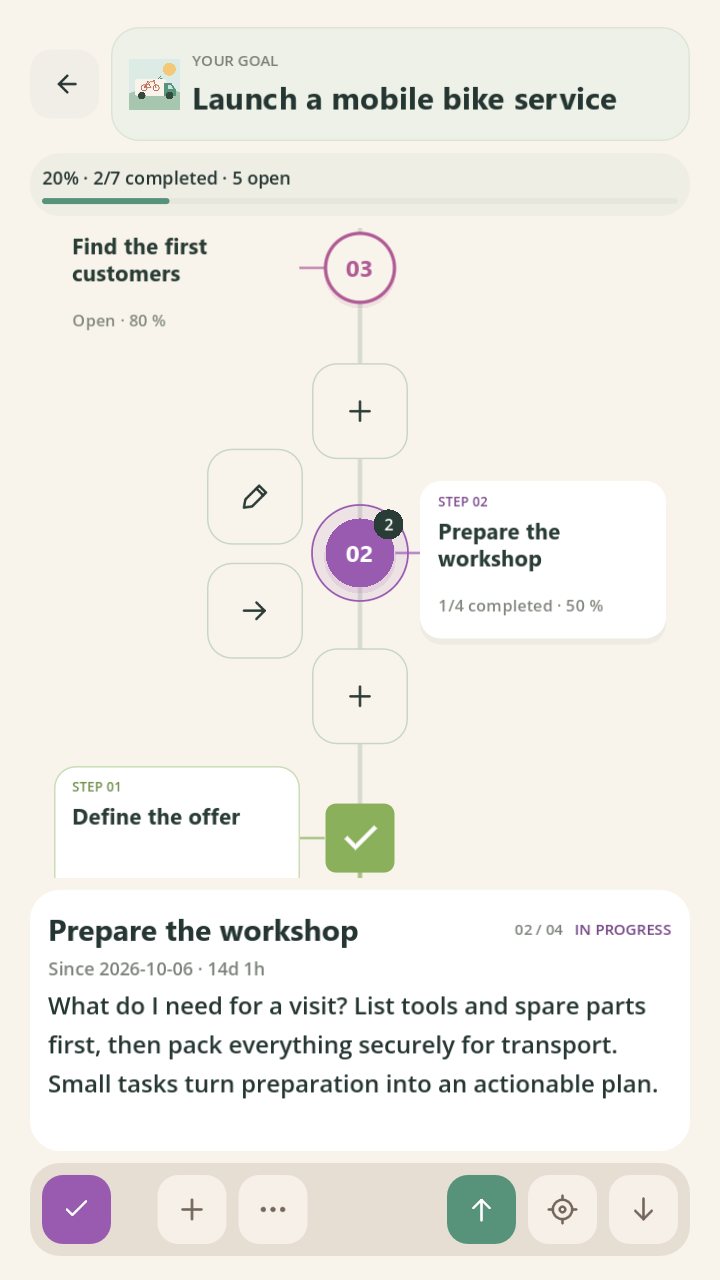
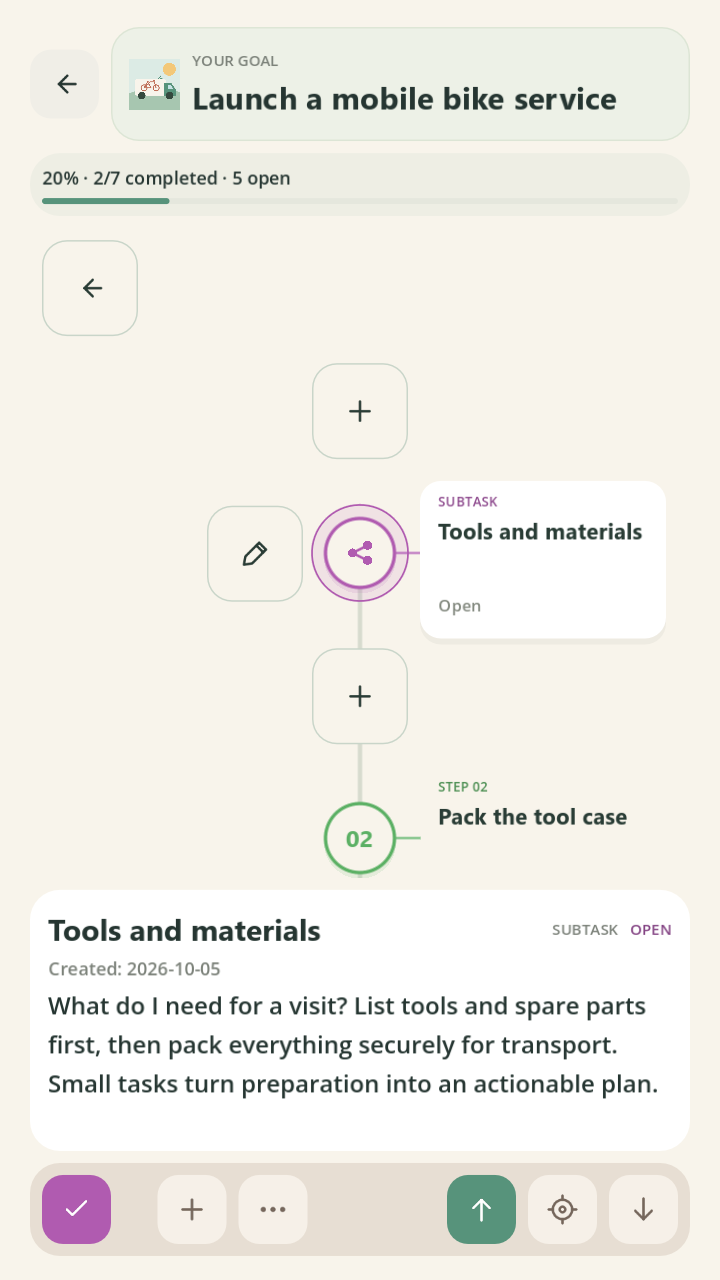
Actual app interface using purpose-built example data. Projects and achievements are illustrative.
Etappora is actively developed by Lukasz Ceglarski at Ceglarski Soft. Features and design may change with updates. No particular update schedule or personal outcome is promised.